
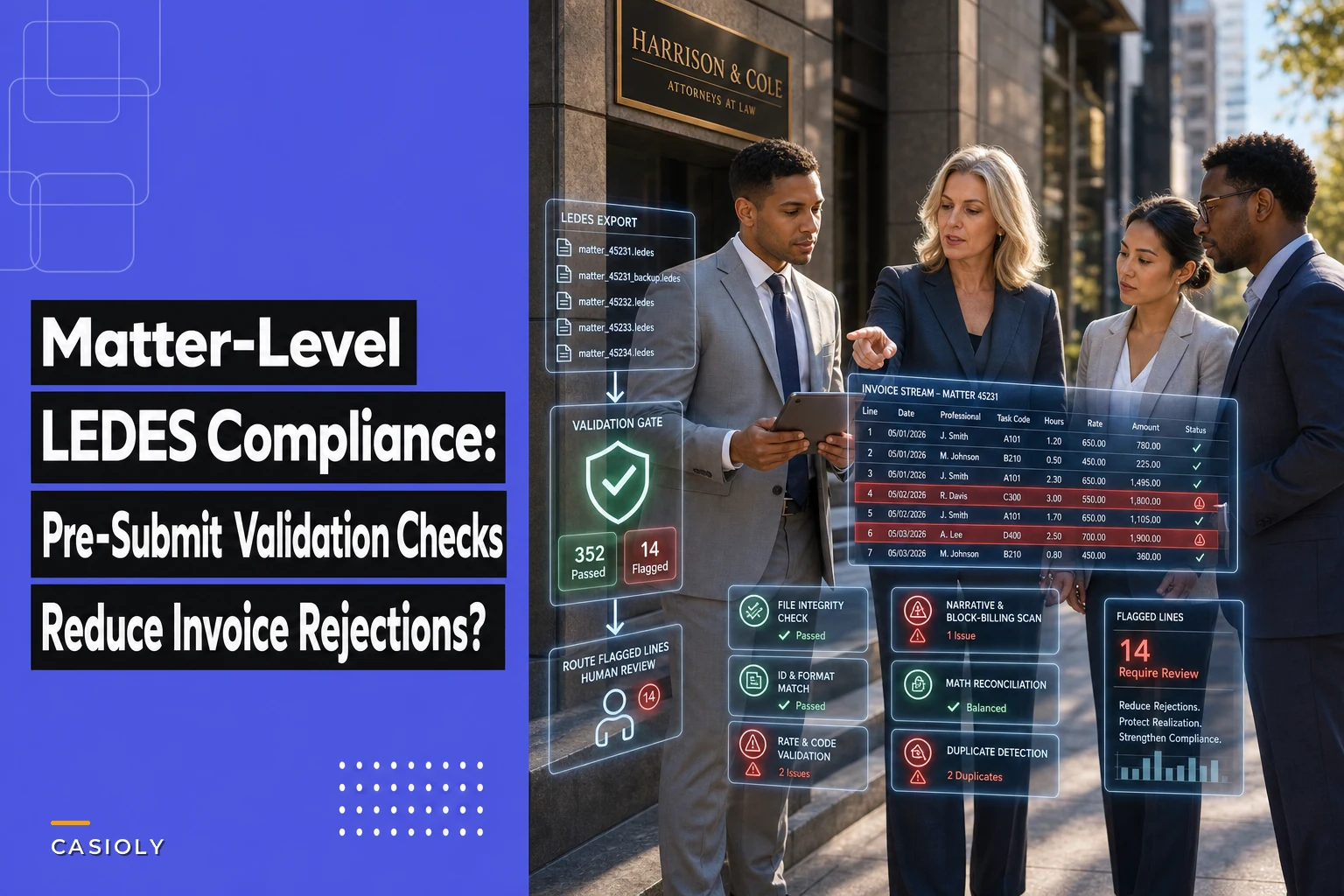

Most firms don't lose invoices to bad legal work. They lose them to a mismatched task code, a client-specific timekeeper rate that never got updated, or a UTBMS combination the client's e-billing platform silently rejects. The work was fine. The billing file wasn't.
If your firm submits through Serengeti, TyMetrix, Legal Tracker, or any of the dozen platforms clients use, you already know the pattern: you export a clean-looking LEDES 1998B or LEDES XML file, upload it, and two days later you get an appeal notice or an outright rejection with a cryptic error code. Nobody at the firm knows exactly why. A billing clerk starts guessing, resubmits, and the cycle repeats.
This post is narrow on purpose. It's about one thing: building matter-mapped client-profile templates and a pre-submit validation routine so your LEDES files stop bouncing. LEDES compliance for a law firm isn't a mystery — it's a data-mapping and reconciliation discipline. Get the mapping right per client, per matter, and rejections mostly disappear.
Why LEDES files bounce even when the invoice is correct
The frustrating part about e-billing rejections is that the underlying charges are usually legitimate. The rejection is almost always a format or mapping failure, not a billing dispute. In practice, this comes down to a handful of predictable problems:
-
The client's billing guidelines require specific task/activity code combinations, and your file used a valid-but-disallowed pairing.
-
A timekeeper's rate in your export doesn't match the pre-approved rate on file with the client.
-
The matter ID or client ID in the LEDES file doesn't match the exact string the client's system expects — leading zeros, dashes, prefixes.
-
The invoice total doesn't reconcile to the sum of line items because of a rounding or tax-line issue.
-
Block billing or missing narratives trip an automated compliance filter.
LEDES is a transport format, not a validation engine. The 1998B format will happily let you export a file with a task code the client forbids. The rejection happens downstream, inside the client's e-billing platform, where their rules actually live. Your firm never sees the rule until you've already violated it.
That gap — between what LEDES allows and what a specific client requires — is exactly where matter-level profiles earn their keep.
The real cost of a bounced invoice
Firms tend to treat rejections as an annoyance rather than a financial leak. That's a mistake. Walk through what actually happens when a $48,000 invoice bounces.
Never miss a critical deadline again.
Casioly helps legal teams manage cases efficiently and stay on top of critical tasks.
- Centralized case tracking
- Automated deadline reminders
- Secure client communication
No credit card required
The invoice sits in limbo. Your realization clock keeps running but your cash doesn't move. A billing coordinator spends 30–90 minutes diagnosing the error, sometimes pulling in the responsible attorney to interpret a guideline. The invoice gets corrected, resubmitted, and re-enters the client's approval queue at the back of the line — so a rejection in early March can push payment to late April or beyond.
A typical example: a mid-size litigation boutique submitting roughly 60–70 e-billed invoices a month with a rejection rate around 18%. That's a dozen invoices stuck in rework every month. At even an hour of coordinator time per rejection, plus delayed cash on six-figure monthly billings, the drag is real. Not catastrophic, but a persistent tax on the firm's cash cycle and its people. And every rejection quietly signals to the client's legal-ops team that your firm is "high maintenance," which matters at panel-review time.
The connection to cash timing is direct. If you've mapped out how matter stages feed your realization and cash-timing forecasts, a chronic rejection rate blows a hole in those assumptions. Every bounced invoice is a forecast miss you didn't budget for.
Matter-mapped client-profile templates: the foundation
The highest-leverage fix is building a client-profile template and mapping it to each matter at intake, not at billing time. Capture every client-specific billing rule once, attach it to the matter, and let it drive the export.
A workable client profile should hold the fields that most commonly cause rejections. Here's a breakdown of what belongs in it and why.
| Profile Field | What It Controls | Common Rejection If Wrong |
|---|---|---|
| Client ID / Matter ID format | Exact string, prefixes, leading zeros | "Invalid matter" / unmatched ID |
| LEDES format required | 1998B vs 1998BI vs LEDES XML 2.0/2.1 | File format not accepted |
| Approved timekeeper rates | Per-person rate ceilings and effective dates | Rate exceeds approved amount |
| Allowed UTBMS task codes | Phase/task codes permitted for the matter type | Disallowed task code |
| Activity/expense code rules | Which E-codes are reimbursable | Non-billable expense submitted |
| Block-billing threshold | Max time per narrative line | Block billing flag |
| Tax handling | Whether tax lines are separate or embedded | Total mismatch |
| Invoice numbering rules | Unique, sequential, no reuse | Duplicate invoice number |
What most firms miss: these rules are stable per client but vary wildly between clients. One insurer requires LEDES 1998BI with strict expense pre-approval. A corporate client wants LEDES XML 2.1 with matter IDs that carry a division prefix. If your billing system stores one global set of billing rules, you're guaranteed to trip somebody's specific requirement eventually.
Review and update a client profile whenever you receive a billing guidelines letter.
When the profile is attached at the matter level, the export inherits the right format and rules automatically. It also means that when a client updates their guidelines mid-engagement — which happens more than you'd think — you update one profile and every future invoice on every matter for that client picks up the change.
Pre-submit validation: catch it before the client does
The second half of the fix is a validation gate that runs before the file leaves your firm. The goal is to replicate the client's most common rejection rules locally, so you catch violations on your side where they're cheap to fix.
A practical pre-submit sequence that catches the majority of real-world errors:
-
File integrity check. Confirm the LEDES format matches what the client profile specifies, header rows are present, and the record count matches the line-item count. Malformed files fail here before anything else runs.
-
ID and format match. Validate client ID and matter ID against the exact strings in the client profile, including prefixes and padding. This alone kills a large share of "invalid matter" rejections.
-
Rate validation. Cross-check every timekeeper rate against the approved-rate table with effective dates. Flag any line where the rate exceeds the ceiling or the timekeeper isn't on the approved list.
-
Code validation. Check every UTBMS task, activity, and expense code against the allowed set for that matter type. Flag disallowed codes and disallowed combinations.
-
Narrative and block-billing scan. Flag lines over the block-billing time threshold and empty or too-short narratives.
-
Math reconciliation. Sum line items, apply tax rules per the profile, and confirm the total ties to the invoice header. Any variance stops the file.
-
Duplicate check. Confirm the invoice number hasn't been used before for this client.
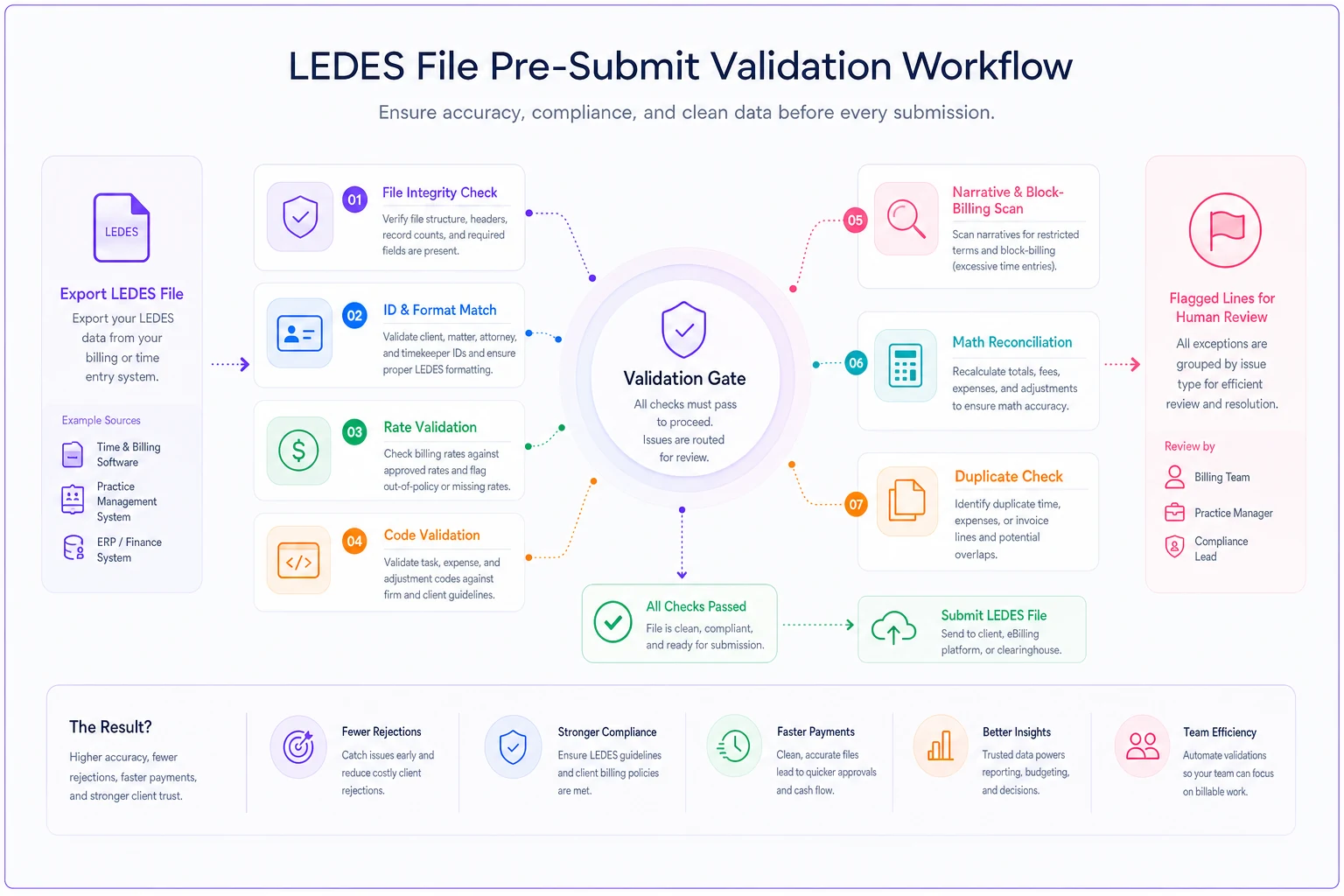
The diagram shows the validation steps and where files get flagged for human review.
Steps 2, 3, and 4 catch the overwhelming majority of rejections in most firms. If you only had time to build three checks, build those. Rate mismatches and disallowed codes are the quiet, repeated offenders — rates change, and matter teams pick codes from habit rather than the client's allowed list.
A reconciliation SOP that actually reduces rejections
Validation catches errors; reconciliation prevents them from recurring. The two work together. A tight SOP turns a scattered "fix it and resubmit" scramble into a repeatable routine.
Pre-submit checklist — run on every e-billed invoice:
-
[ ] Client profile is attached to the matter and marked current (reviewed within last 90 days)
-
[ ] LEDES format matches profile specification
-
[ ] Client ID and matter ID exactly match profile strings
-
[ ] All timekeepers appear on the approved-rate list with rates at or below ceiling
-
[ ] All task/activity/expense codes appear in the client's allowed set
-
[ ] No line exceeds the block-billing threshold; all narratives present
-
[ ] Line-item total + tax reconciles to invoice header
-
[ ] Invoice number is unique and sequential
-
[ ] Any expense over the pre-approval threshold has documented client approval
Monthly reconciliation loop:
Beyond the per-invoice check, run a monthly review of every rejection you received. Log the client, matter, error code, root cause, and which profile field would have caught it. Over two or three cycles, you'll see the same three or four causes accounting for most of the volume. That log tells you exactly where to tighten profiles.
If your rejections cluster around a single client's rate rules, that's a profile-maintenance problem, not a billing-clerk problem.
This reconciliation habit connects directly to matter budgeting. When your matter budgeting framework already defines the cost-driver taxonomy and stage-tied budgets, mapping approved task codes to that same taxonomy keeps your internal budget language and your client's LEDES requirements aligned — so the codes you budget against are the codes you're allowed to bill.
Where automation helps — and where it doesn't
Firms doing this manually burn out their billing team on repetitive cross-checking. Workflow automation genuinely helps here because the checks are rule-based and deterministic. A billing platform that stores client profiles and runs the validation sequence automatically on export will catch ID, rate, and code errors instantly — the same errors a human catches only by carefully eyeballing a spreadsheet.
What automation handles well: applying the correct client profile to a matter, running the full validation sequence in seconds, and flagging exactly which line and which rule failed so a human can fix the right thing the first time. That's operational software doing what it's good at — enforcing rules consistently at volume.
What it does not do well: interpreting a vaguely worded new billing guideline, or deciding whether an unusual expense is defensible. Those need a human. The right split is automation for the deterministic checks, people for the judgment calls. Firms that try to automate the judgment end up with false confidence and still get rejected on the nuanced stuff.
If your validation catches an approved-expense or retainer-drawdown issue, that ties back to broader billing hygiene — the same discipline behind matter-level drawdown rules and automated holds that keeps trust and retainer balances from triggering downstream disputes.
When a full profile system makes sense — and when it's overkill
Not every firm needs an elaborate profile-and-validation setup.
This makes sense when: you e-bill more than a handful of clients through outside platforms, you have multiple clients with conflicting billing guidelines, or your rejection rate is high enough that a coordinator is spending real hours each week on rework. If two or three institutional clients drive most of your revenue and each has a thick set of guidelines, profiles pay off fast.
This is overkill when: you bill a small number of matters, mostly to clients who accept PDF invoices, and rejections are rare. Building formal profiles for a firm that submits three LEDES files a quarter is effort spent where it won't return much. Start with a simple checklist and only formalize profiles once volume or complexity justifies it.
Who should not do this yet: solo or very small firms without a defined billing owner. Profiles only work if someone owns keeping them current. An out-of-date profile is arguably worse than none — it gives false confidence. You'll trust a rate ceiling that expired two months ago and get rejected anyway.
A short real scenario
A regional employment-defense firm handling insurer-driven work was submitting around 55 LEDES invoices a month across four major carriers. Their rejection rate hovered near 20%, and most rejections traced to two causes: timekeeper rates that hadn't been updated after a client's annual rate letter, and associates using task codes the carrier didn't allow for that matter type.
They built one profile per carrier, attached it at matter intake, and added a pre-submit gate covering ID match, rate validation, and code validation. Nothing fancy — the checks ran on export and flagged the failing lines.
Within about two billing cycles, rejections dropped to the low single digits, roughly a quarter of what they'd been. The billing coordinator's rework time fell noticeably, and average days-to-payment on those carrier invoices tightened because fewer invoices got kicked to the back of the approval queue. The firm didn't add staff or change its actual legal work. It just stopped sending files that were going to bounce.
The takeaway
LEDES compliance for a law firm comes down to closing the gap between what the format allows and what each client's system actually enforces. Matter-mapped client profiles capture the rules once. Pre-submit validation catches violations while they're still cheap to fix. And a monthly reconciliation loop tells you which profiles to tighten next.
Start with the three checks that matter most — ID match, rate validation, and code validation — and one profile for your highest-volume client. That alone will move your rejection rate, and it gives you a template to extend to the next client whenever you're ready.
LEDES compliance for a law firm comes down to closing the gap between what the format allows and what each client's system actually enforces. Matter-mapped client profiles capture the rules once. Pre-submit validation catches violations while they're still cheap to fix. And a monthly reconciliation loop tells you which profiles to tighten next.
Start with the three checks that matter most — ID match, rate validation, and code validation — and one profile for your highest-volume client. That alone will move your rejection rate, and it gives you a template to extend to the next client whenever you're ready.
Ready to elevate your legal practice management?
Join 500+ law firms using Casioly to optimize case workflows, reduce administrative burden, and improve client satisfaction.