
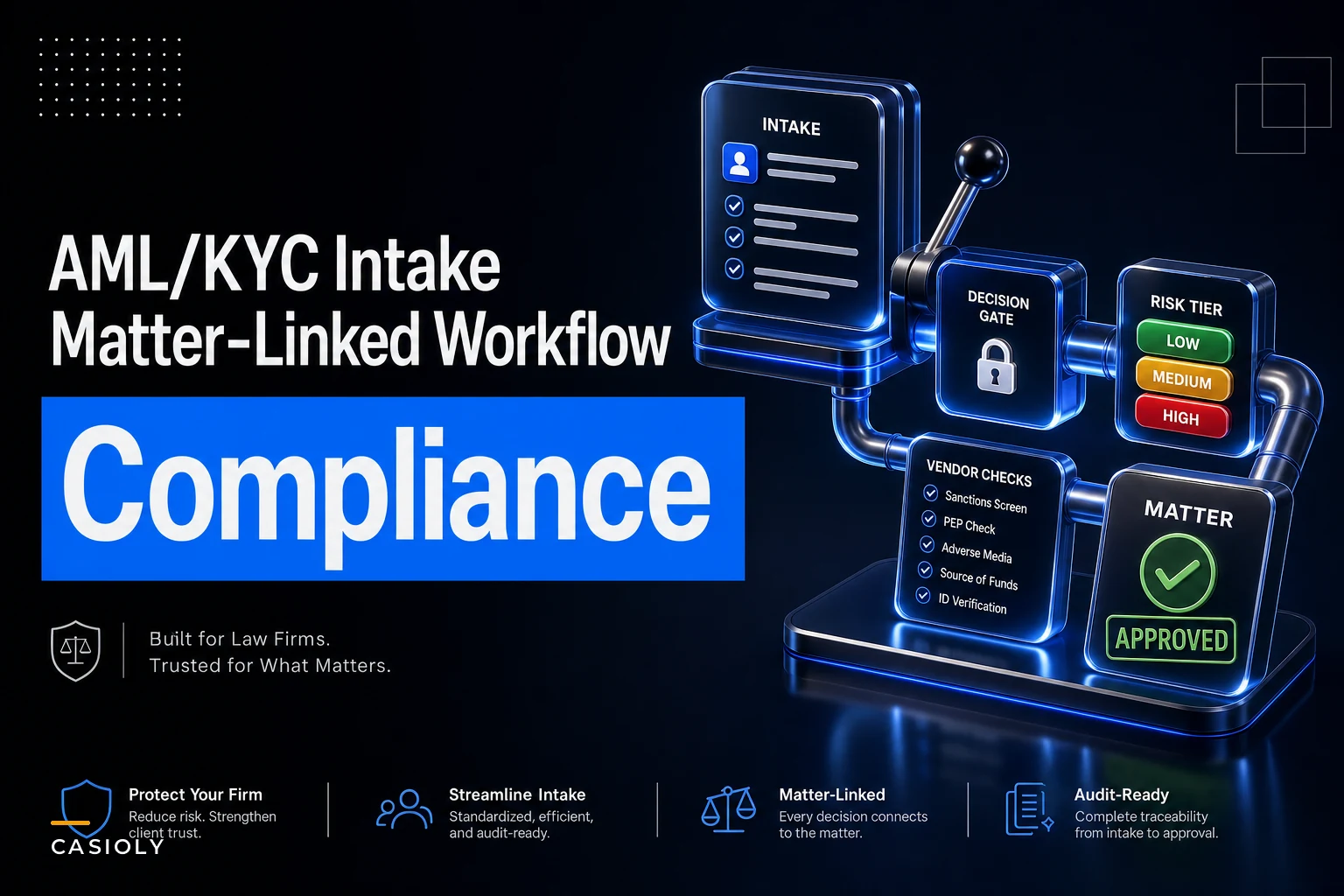

Most firms treat AML/KYC as a form the intake coordinator fills out and shoves into a folder. Then the matter opens. Then six weeks later, someone in compliance realizes the beneficial-ownership documentation was never collected for an entity client — and now there's a partially-billed matter that technically shouldn't have cleared onboarding at all.
That gap — between "intake collected some data" and "the client is actually cleared to proceed" — is where the real risk lives. Not in the questionnaire. In the disconnect between the questionnaire and the matter status.
This is a tight walkthrough of how to wire an intake-to-clearance workflow so that a matter physically cannot advance past certain stages until the right KYC checks are done, verified, and logged. It's operational, not theoretical, and it's built to survive an audit.
Where client onboarding KYC in a law firm actually breaks
The failure almost never happens at the "do we collect ID" level. Everyone collects ID. The breakage happens in three specific places.
1. Intake fields don't map to a decision. Coordinators collect a passport scan, a company registration number, a source-of-funds note — and then nothing consumes those fields. There's no rule that says "if source of funds = property sale, request completion statement." The data sits there, unmapped, until a partner asks a question no one prepared for.
2. Risk tiering is done by vibe. Someone eyeballs the client and decides they "feel" standard-risk. No documented tier logic, so two similar clients get treated completely differently depending on who did intake that day. When a regulator asks why a client was classified standard rather than enhanced, the honest answer is "the coordinator thought so" — which is not an answer.
3. Nothing blocks the matter. This is the big one. The matter opens, work begins, invoices go out — and clearance is still "pending." There is no gate. Approval and active work run on parallel tracks that never check each other.
A useful way to think about it: intake is data capture, clearance is a decision, and matter status is the enforcement mechanism. Most firms build the first, skip the second, and never connect anything to the third.
Layer 1 — Intake-field mapping
Every intake field needs to answer the question: what downstream decision does this feed? If a field feeds nothing, it's clutter. If a decision has no feeding field, it's a hole.
Never miss a critical deadline again.
Casioly helps legal teams manage cases efficiently and stay on top of critical tasks.
- Centralized case tracking
- Automated deadline reminders
- Secure client communication
No credit card required
A basic mapping table looks like this:
| Intake field | Feeds decision | Trigger if... |
|---|---|---|
| Client type (individual/entity) | Determines whether beneficial-ownership check applies | Entity → require ownership chain to natural persons |
| Jurisdiction of client/entity | Feeds risk-tier scoring | High-risk jurisdiction → auto-escalate tier |
| Source of funds | Feeds documentary evidence checklist | "Sale of property" → request completion statement |
| PEP status (self-declared + screened) | Feeds risk tier + approval level | Any PEP hit → enhanced due diligence gate |
| Nature of matter | Feeds sector-risk weighting | Conveyancing / high-value asset → higher weighting |
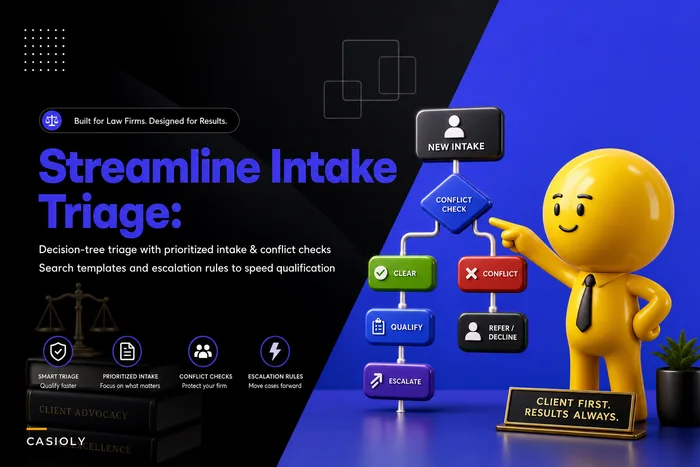
The point isn't the exact fields — it's that every field has an explicit consumer. When you build the mapping this way, you find the dead fields fast, and you find the missing ones faster. It's the same discipline that makes a good decision-tree conflict-check and triage playbook work: intake data has to route to something, not just get stored.
Layer 2 — Risk-tier classification
Once fields map to inputs, tiering becomes a rule rather than a judgment call. Three tiers, clearly defined, with the logic written down:
-
Standard — individual, low-risk jurisdiction, straightforward source of funds, no PEP flags. Standard document set, single approver.
-
Enhanced — entity with layered ownership, cross-border element, cash-intensive source of funds, or any single elevated flag. Expanded documents, senior approver.
-
Prohibited/hold — sanctions hit, unverifiable ownership, refusal to provide source of funds. Does not proceed without partner and compliance sign-off, and often not at all.
Firms that write the tier logic before the client walks in almost never argue about tiers. Firms that decide tier per-client argue constantly, and their tiering drifts across the year. By December, "enhanced" means something different than it did in January because ten different people nudged the definition.
One thing people consistently get wrong: tier is not permanent. A source-of-funds change mid-matter, or a new party added to a transaction, should re-trigger tiering. Bake in a re-assessment trigger, not just an at-intake one.
Layer 3 — Vendor and document checklist
Each tier gets a checklist, and the checklist is tier-specific, not universal. Running the enhanced checklist on every client wastes hours; running the standard checklist on enhanced clients is how you miss things.
A standard-tier checklist might be:
-
[ ] Government photo ID verified (against live/electronic check)
-
[ ] Proof of address dated within accepted window
-
[ ] Electronic ID verification passed (vendor screen)
-
[ ] Sanctions/PEP screen clear (logged with timestamp)
-
[ ] Source-of-funds note recorded and consistent with matter
Enhanced adds items like:
-
[ ] Full beneficial-ownership chain documented to natural persons
-
[ ] Corporate structure chart obtained and reviewed
-
[ ] Documentary source-of-funds evidence (not just declaration)
-
[ ] Enhanced screening on all controlling parties
-
[ ] Written rationale for proceeding, signed by senior approver
Where firms lose track is on the vendor side — the electronic verification provider, the screening tool, the company-registry lookups. Each vendor check produces an output that needs to be captured with a date and a result, not just "we ran it." An unlogged screen is, for audit purposes, a screen that didn't happen.
Layer 4 — Approval gates tied to matter status
This is the layer that makes the other three real. The idea is simple: matter status cannot advance until the clearance step for that stage is complete.
Here's how that plays out in practice — a matter moves through four distinct states, and each transition requires something specific to be true before it unlocks:
-
Matter created → status
Intake.
Nothing billable happens. Only data capture and initial screening. -
Screening clear + tier assigned → status
Pending Clearance.
Tier-specific checklist generated. Work still blocked. -
Checklist complete + approver sign-off → status
Cleared.
Only now can the matter move to active work and billing. -
Any red flag at any point → status
On Hold.
Snaps back regardless of how far the matter has progressed.
The gate between steps 2 and 3 is the whole ballgame. If your system lets someone open a matter as "active" while clearance is "pending," you don't have a workflow — you have a suggestion.
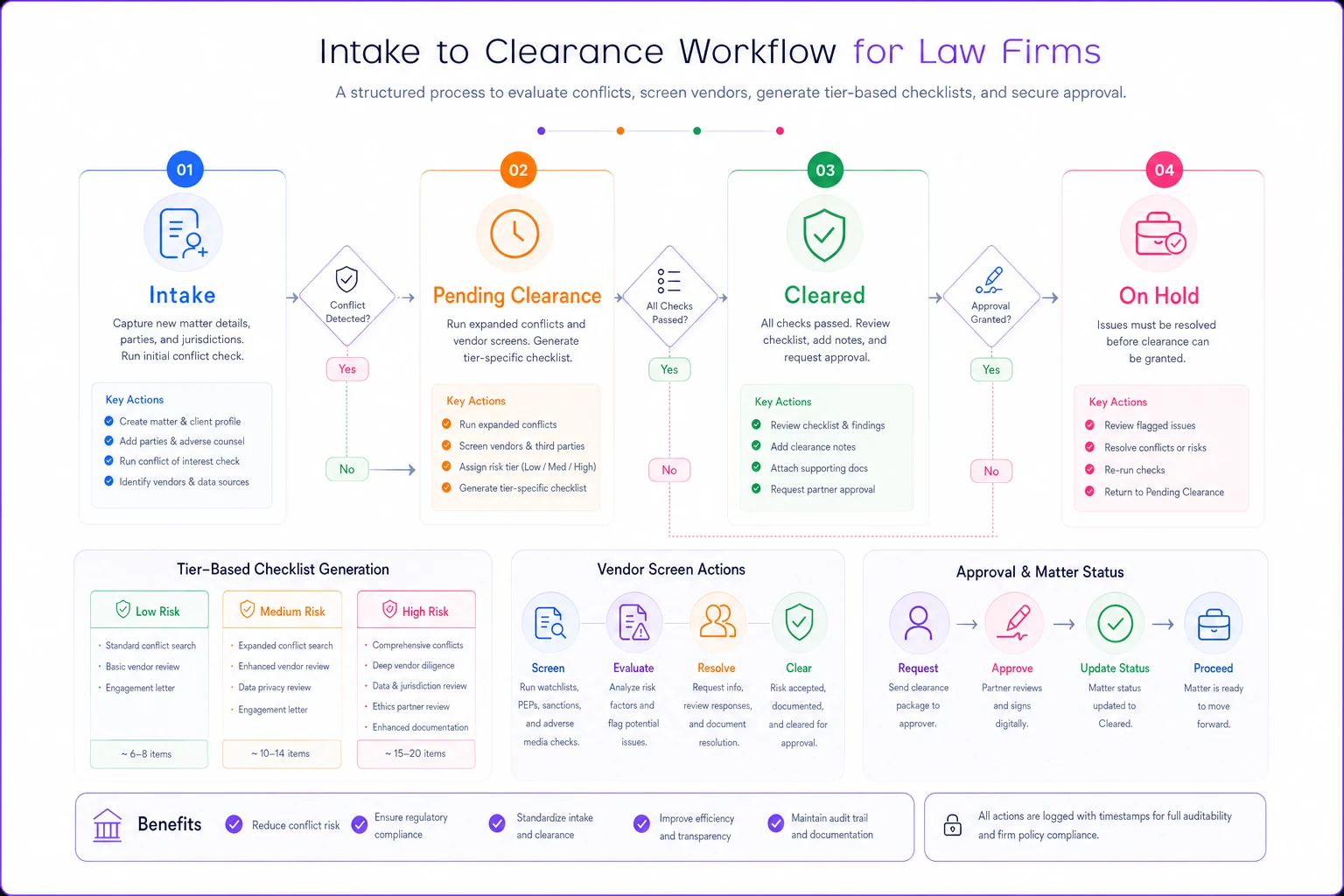
A simple visual of the gate steps helps teams see where automation should enforce blocks.
A real scenario: the entity client that slipped through
A mid-size firm — roughly 40 fee-earners, solid conveyancing and corporate practice — onboarded a corporate client for a high-value property purchase. Intake collected the company number, a director's ID, and a source-of-funds note that said "company funds." Matter opened. Work started. Around £14k in fees accrued over about five weeks.
Then a partner asked the obvious question: whose money is it, actually? The company was owned by a holding company, owned by a trust, and the ultimate beneficial owner had never been identified. "Company funds" isn't a source — it's a container.
The matter had to be effectively frozen. They spent close to two weeks retroactively collecting the ownership chain, and some of the accrued time became hard to bill because the client relationship soured over documentation demands that "should have been asked at the start."
The fix wasn't a new form. They already had the fields. The problem was that entity type didn't trigger the beneficial-ownership requirement, and matter status advanced without clearance. Once they wired tier logic to client type and added a hard gate at "Pending Clearance," the same situation the following quarter got caught at intake — the entity flag auto-generated the ownership-chain checklist, and the matter simply couldn't reach active status until it was filled. No frozen matters that quarter.
Making it auditable — the part people skip
An intake-to-clearance workflow that isn't auditable is half a workflow. When a regulator or your own risk committee asks "show me how this client was cleared," you need a record that reconstructs the decision, not a folder of PDFs.
The audit trail should capture, per matter:
-
Which tier was assigned and which inputs drove it
-
Who approved, at what level, with timestamp
-
Every vendor screen run, with result and date
-
Any re-assessment triggers and what changed
-
The exact point matter status flipped to Cleared
Capture vendor screen results as discrete timestamped fields so a regulator can see the who/what/when without digging through PDFs.
This is where clean field-to-decision mapping pays off again — an auditable trail is only possible if the data was structured on the way in. It connects directly to the discipline in a matter-focused data-governance matrix: classification, retention, and access rules for KYC data aren't optional add-ons, they're what makes the clearance record defensible months later.
Firms with weak audit trails almost always have strong-looking forms. The presence of a thorough questionnaire fools people into thinking the process is sound. But a form is a snapshot; an audit trail is the story. Regulators want the story.
Where tooling helps — and where it doesn't
Once the logic is defined, enforcing gates by hand is where things fall apart. Coordinators are busy, partners want matters moving, and "just this once, let's open it and sort clearance next week" is how every gap starts.
A workflow platform that ties matter status to clearance state — auto-generating the tier-specific checklist, blocking status advancement until sign-off, timestamping every screen — removes the human "just this once" from the equation. That's the honest role of automation here: it doesn't decide the tier or judge the risk. It enforces the rules you already wrote and keeps the record straight. The judgment stays with your people. The consistency and the audit trail come from the system refusing to let a matter jump a gate.
When a hard-gate approach is worth it
-
You handle entity clients, conveyancing, or high-value transactions where AML exposure is real
-
You've had at least one "how did this clear?" moment
-
Multiple people do intake and tiering drifts between them
When it's overkill
-
A very small practice with a single gatekeeper who genuinely sees every client — though even then, the audit trail alone often justifies the effort
-
Practice areas with negligible AML exposure, where a lightweight check is proportionate
But tooling won't save a bad design. If your tier logic is vague and your fields don't map to decisions, automating that just produces vague results faster. Get the four layers right on paper first. Then enforce them.
The bottom line
The core mistake in law firm client onboarding KYC isn't collecting too little data — it's collecting data that connects to nothing, tiering by gut, and letting matters go active while clearance is still "pending." Fix the connections: map every field to a decision, make tiering a written rule, attach checklists to tiers, and tie approval gates to matter status so a matter physically cannot advance until it's cleared. Do that, and the audit trail builds itself, because the process was structured on the way in rather than reconstructed after someone asks the hard question.
Ready to elevate your legal practice management?
Join 500+ law firms using Casioly to optimize case workflows, reduce administrative burden, and improve client satisfaction.